

Logitech G PRO X3 SUPERSTRIKE review — what a tunable click is worth
Logitech’s $199.99 gaming mouse makes a good case for adjustable buttons and a weaker case for replacing a mouse that already fits your hand.
Rest a finger on a mouse button before a round starts and you have a choice about how much pressure to use. A conventional mouse makes you learn its answer. The Logitech G PRO X3 SUPERSTRIKE lets you move the point where that pressure becomes a click. It can also change how that click feels. For a competitive player with a specific complaint about button travel or reset, that kind of control makes the X3 worth trying. At the $199.99 US price that Logitech lists, I would keep an X2 that already works for me. I would also spend less if I mainly wanted a lightweight mouse with low latency. The reason to look at this model is what you can do with its buttons. This review draws on Logitech’s specifications and published testing by RTINGS, PC Gamer and Tom’s Hardware. Fever did not test a unit. Logitech G’s US product page
Set how far the button moves and how it feels
Logitech calls its system HITS, short for Haptic Inductive Trigger System. The main buttons sense movement through an inductive system. Separate hardware supplies a tactile response. That gives the manufacturer room to change the software-defined actuation point while keeping feedback tied to the click. Logitech lists ten actuation levels, five rapid-trigger reset options and six feedback settings in its launch material. That is more granular control than you get from choosing a different mouse and living with the switches it comes with. It also means a buyer has more work to do before deciding which setting is an improvement. Logitech G’s launch announcement
Three kinds of adjustment solve different problems. Actuation is how far the button has to move to send a press. Set it shallower and a smaller movement is enough. Reset is the point at which the system is ready to register another click. Rapid Trigger makes that reset respond to how the button moves, which matters when you are making repeated presses. Haptic feedback is what your finger feels. You can prefer a distinct feedback pulse even if you want the press itself to register early. A buyer who likes that combination is getting something more specific than a mouse with a fast sensor. The design lets the click you feel and the sensitivity you want belong to the same setting. Logitech’s X3 and X2 engineering comparison, RTINGS’ X3 SUPERSTRIKE lab review
Consider a player who likes to rest a fairly heavy index finger on the primary button. The lightest actuation may feel eager in an aim drill and trigger an input before the player intends it when their grip tightens during a match. That is a useful reason to go deeper again. The point of the extra settings is to let the player make that choice without buying a different shell. Start near a familiar setting, change one parameter and spend enough time on ordinary play to notice when it helps or gets in the way. If the only change you can identify is that the setup screen now says you are faster, you have yet to find a reason to pay for it.
A fast input and a fast player are different measurements
RTINGS tested the Magenta Eclipse version and reported low, consistent click and sensor latency. Its lab comparison with the X2 puts the measured gains in perspective. The X3 improves on its predecessor by a small amount, and the reviewers do not expect that difference to be apparent during gameplay. They also saw slight tracking irregularities in certain settings at 4,000 and 8,000 Hz. Logitech supports a maximum 8,000 Hz polling rate over both its LIGHTSPEED wireless connection and wired USB-C. The resulting 0.125 ms nominal report interval describes how often the device can send input reports. The time from deciding to click to a game reacting includes everything around that interval. RTINGS’ testing and predecessor comparison, Logitech’s polling specification
PC Gamer’s Jacob Fox tried a different measurement. He ran 150 browser reaction trials, split evenly between a SteelSeries Sensei Pro and two X3 actuation settings, switching between them during the experiment. His result at the shallowest X3 setting was about a millisecond away from the Sensei Pro result, too small a gap for him to separate from natural variation. His X3 result at level three was slower than his result on the Sensei Pro. This is one person’s small test using one reaction task. There is no basis there for predicting the result of a live match. It is valuable precisely because it shows a buyer where the evidence changes. An instrument can find an input delay reliably enough to compare two devices. A person trying to react repeatedly introduces enough variation to hide a difference of that size. Both reports are worth reading before drawing a conclusion about what your money buys. Jacob Fox’s experiment for PC Gamer
The practical benefit may be easier to notice as a matter of comfort or habit. Say a player already likes how a mouse moves, and their one recurring complaint is having to lift a button farther between quick successive clicks than they want. That is a good condition for an experiment. Adjust the reset and keep the rest of the setup as consistent as you can. Use the same sensitivity and try a familiar drill, then see whether the change makes those repeated inputs more predictable. If your main difficulty is that you grip a narrow mouse too tightly or keep overcorrecting the cursor, start with your grip and movement. Shifting the click point won’t change the shape you are holding.
The quieter upgrade is the one that lasts between matches
At 59 grams on Logitech’s spec sheet, the X3 is light and has roughly the same shape as the X2. Sarah Jacobsson Purewal at Tom’s Hardware found the revised balance more centered but the haptics weaker than on the X2. The RTINGS team still found its unit a bit front-heavy, particularly for the kind of low-sensitivity play that involves frequent lifts and repositioning. Together those accounts suggest Logitech made a change a user may notice without making the same impression on every hand. If you lift the mouse a lot, try that exact motion when you handle one. Sliding it a few inches on a display table tells you less about the weight distribution than lifting and putting it back down. Tom’s Hardware’s firsthand review, RTINGS’ lab review
Logitech advertises 135-plus hours of battery life, versus the X2’s 90-hour advertised figure cited by RTINGS. There are enough variables in how players configure and use the device to treat that as the manufacturer’s figure and check what settings apply before budgeting around it. The likely everyday advantage of longer battery life is spending less time thinking about whether the mouse is ready. RTINGS also reports the X3 lacks Bluetooth and multi-device pairing. If you expect to switch between a work laptop and a gaming tower with one control, battery capacity does little to solve the more frequent inconvenience of changing connections. Decide which interaction matters to your week. Logitech G’s US specs, RTINGS’ connectivity and predecessor comparison
If the mouse is also part of a shared desk, think through the feedback separately from the wireless connection. A tactile sensation can be useful to the player without making much sound in the room. RTINGS characterized the main buttons as very quiet even with strong feedback enabled. That could matter to someone who records into a nearby microphone or plays late in a shared space. It is worth asking where the noise that bothers you comes from. The same benefit would do little for a loud keyboard, and the two products need separate decisions even if they share a branding scheme. RTINGS’ office-use test notes
There is also a difference between buying the mouse for yourself and choosing it for another person. The ideal buyer has a clear idea of their grip and can say which part of the press bothers them. If those details are a mystery, make sure the person getting it can try it and return it. A gift receipt has more practical value than guessing which actuation setting another player would enjoy. The range of choices is the draw, and that judgment belongs to the fingers that will use them.
Who should take it home
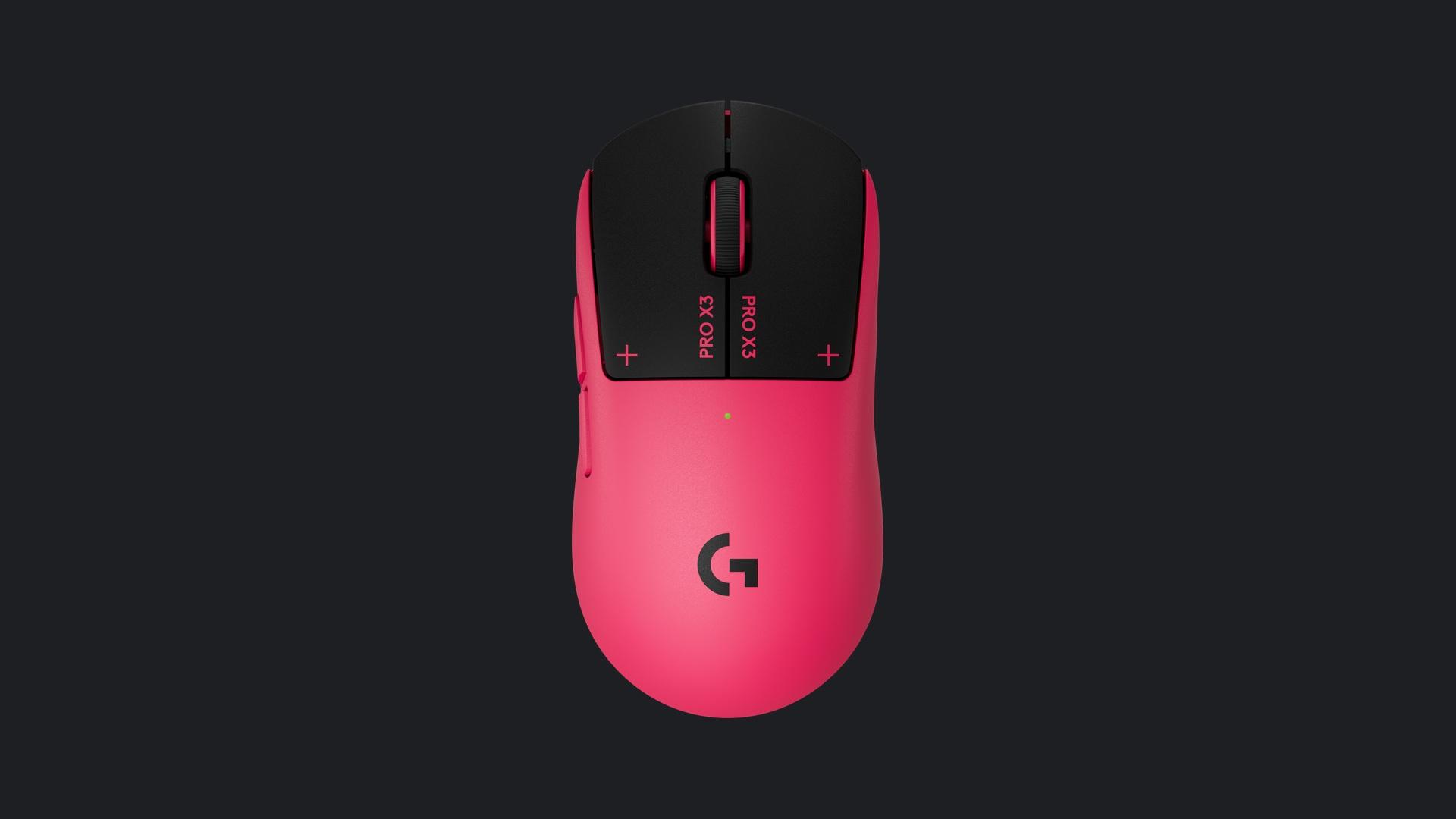
For someone shopping for an upgrade, the $199.99 listing for Midnight Black is a useful reference point, rather than evidence of a holiday discount. Magenta Eclipse is the other color in the RTINGS comparison and the one shown in Logitech’s press image. Pick the color you want after sorting out the shape, return terms and expected settings. If you already own the X2, I would only move up for a concrete day-to-day benefit such as longer intervals between charging or a balance that you can feel when you lift the mouse. Independent testing offers little reason to treat the X3 as an essential upgrade for faster clicks alone. Logitech G’s US listing, RTINGS’ X2 comparison
A competitive player shopping from scratch has a stronger case. The X3 gives you low measured latency to work with and lets you adjust when and how a click announces itself to your finger. It is most persuasive if you know what you want that adjustment to fix. For everyone else, I would choose a comfortable, responsive mouse at a lower price and put more weight on the part of the device you can judge immediately. How often will you pick it up and want to adjust where your click lands? If the answer is often enough to make the change worthwhile, that is a better reason to own the X3 than the prospect of shaving an imperceptible amount of time off a match.
Sources
- Logitech G, US PRO X3 SUPERSTRIKE product specifications, color and price
- Logitech G, September announcement and button customization levels
- Logitech G, engineering comparison with the preceding model
- James Alex Chérubin, Gregory Vodden and John Peroramas for RTINGS, measured input and sensor performance
- Sarah Jacobsson Purewal for Tom’s Hardware, firsthand November 4 review of balance, shape and feel
- Jacob Fox for PC Gamer, single-participant reaction-time comparison
The Magenta Eclipse Logitech G PRO X3 SUPERSTRIKE in an official top-view product render. Photo credit: Logitech G.